PicVivid: AI Video Maker
- 2.3
- Rating
- 50.00K
- Installs
- Free
- Price

 Analysis by App-foxy
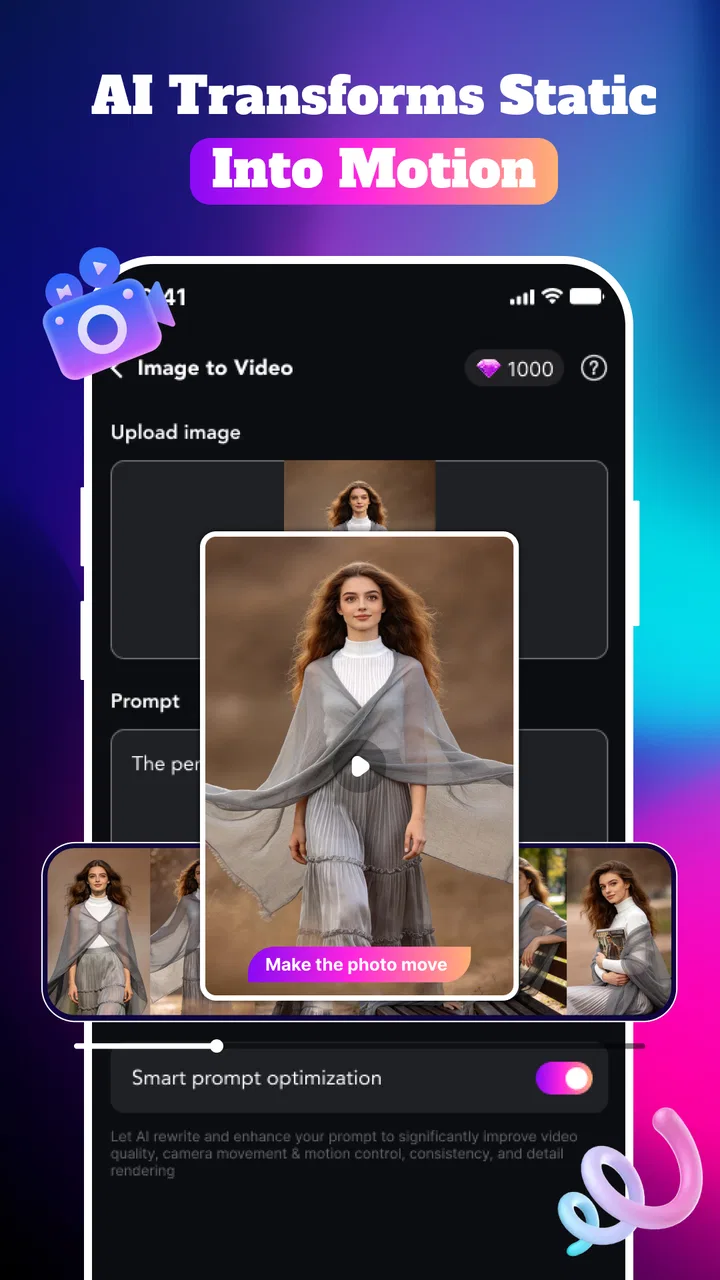
I approached PicVivid: AI Video Maker as a lifestyle editing app for people who want to turn ordinary photos into more expressive visual posts. Its focus is not traditional timeline editing. Instead, it brings together AI video creation, animated photo treatments, artistic styles, magic edits, and effects designed for the kind of short content people share casually with friends or publish on social platforms.
That makes the app appealing at first glance, especially if you have a camera roll full of pictures but little patience for learning a full video editor. My experience with this type of workflow is that the best results come when the app removes technical decisions rather than adding more of them. PicVivid is clearly aiming for that simpler path: choose an image, select a visual direction, and let the app do much of the creative work.
Still, its modest average rating of 2.3 from roughly 66 ratings is important context. I would not treat it as a polished replacement for every established photo or video tool. It is more useful to see it as an experimental creative app: potentially enjoyable for quick transformations, but one that deserves a little patience when a result takes longer than expected or needs another attempt.
You May Also Like

 AccuWeather: Weather Radar
AccuWeather Review: A Quick, Clear Forecast for Everyday Decisions
For everyday plans, the best forecast is the one you can understand quickly. AccuWeather makes rain timing, radar, and local conditions easy to act on, with a few trade-offs.

 Hill Climb Racing
Why Hill Climb Racing Still Turns Crashes Into One More Run
A tiny car, a bumpy hill and one more upgrade: Hill Climb Racing keeps resurfacing because its simple chaos makes every near-miss feel personal.

 AliExpress - Shopping App
AliExpress Makes Global Shopping Feel Personal, but Shoppers Bear the Risk
AliExpress turns a global marketplace into a pocket-sized discovery engine. Its reach is useful, its shopping loop compelling, and its trade-offs easy to miss.

 Lords Mobile: Kingdom Wars
Lords Mobile Is a Kingdom-Building Routine, Not a Quick Match
A case-by-case verdict on the building, battles, device demands, and social commitments that make Lords Mobile rewarding for some players and exhausting for others.

 PDF Scanner app - TapScanner
TapScanner Makes Paperwork Easier to Capture, Check, and Share
TapScanner makes scanning with a phone feel less like a rescue operation and more like a dependable step in getting work done. Its capture tools are useful, though not flawless.

 Block Blast!
 Shows How Much a Puzzle Game Can Leave Out
A quiet grid game shows why puzzle players increasingly value instant clarity, repeatable skill and low-pressure play—and where the genre still needs to catch up.
More From Our News Desk
View All News


How PicVivid feels when you ask it to create something
When I ask PicVivid to transform a photo, I think of the process as a creative suggestion rather than a precise instruction: the source image sets the boundaries, while the selected treatment shapes the result. That makes choosing the right photo an important part of the experience, especially when faces or small details matter. From there, it is worth considering how to judge a result before deciding whether to keep it.
The first impression is built around quick visual experimentation
The main attraction is the chance to make a static photograph feel more alive without manually arranging clips, keyframes, transitions, or sound. For a casual user, that can be a meaningful saving in effort. I can imagine opening it after a weekend trip, selecting a favorite portrait, and trying several styles until one feels suitable for a story post or a private message.
The important distinction is that this is not the same as opening a conventional editor and having complete control. AI-driven creation is closer to directing than operating a machine. You provide the source image and choose a treatment, while the app decides much of the movement and visual interpretation. That is convenient, but it also means the result may not match your mental picture on the first try.
For the best experience, I would begin with a clear, well-lit image where the main subject is easy to identify. A crowded photograph, a face partly hidden by another object, or a very dark scene gives an automated effect more visual ambiguity to handle. This is one of the less obvious ways to improve the outcome: the quality of the original photo matters more than the number of available styles.
Speed depends on the kind of task, not just the app
Simple browsing and choosing an effect should feel lighter than generating an AI video. The heavier work begins when the app has to analyze an image, apply a transformation, and prepare an animated result. I would therefore avoid judging its speed from the opening screen alone. The meaningful test is how comfortably it handles repeated creations.
If I were using it during a short break, I would prepare a small group of strong source images rather than sending every photo in my gallery through the process. That approach reduces wasted attempts and makes the waiting feel more purposeful. It also helps reveal which styles suit a particular image before spending more time on variations.
There is a practical trade-off here. An app that automates the creative work can save editing time, but generation itself may not be instant. Users expecting the immediate response of a basic filter should adjust their expectations. PicVivid is more ambitious than a simple color overlay, so its most interesting results are also the ones most likely to demand more processing.
What happens during heavier use
The app becomes more demanding when you move from one playful test to a sequence of edits. Creating several AI videos in a row, trying multiple art styles on the same photo, or repeatedly applying magic effects is the kind of session where device resources matter more. I would treat it as a focused editing tool rather than something to leave working through a huge batch of images.
A useful workflow is to save the original photograph separately, make one deliberate version first, and only then explore alternatives. This avoids losing track of which result came from which style. It also prevents a common frustration with creative apps: spending more time comparing near-identical attempts than actually choosing one to share.
Another practical tip is to close unrelated demanding apps before a long editing session, particularly on an older phone. That is not a special requirement unique to PicVivid; it is simply sensible when an app is generating visual content instead of displaying a fixed image. Keeping the session focused may reduce interruptions and makes it easier to tell whether a delay comes from the creation process or from the device being busy elsewhere.
Stability matters more than novelty after the first few edits
The novelty of animated portraits and artistic transformations can make an app feel impressive for the first few minutes. Reliability becomes more important after that. I would want the selected image, chosen style, and resulting draft to remain understandable if I move back and forth between attempts. A creative tool is much easier to trust when it makes recovery straightforward after an unsuccessful generation.
My advice is to treat each worthwhile result as something to preserve promptly rather than assuming every experiment will remain available forever. Keep the source photo, remember the style that worked, and avoid making your only copy of an important image dependent on an in-app draft. This is especially sensible for family photos, event pictures, or anything you may want to reuse in a different editor later.
The low public rating also makes me cautious about calling the experience consistently smooth for everyone. I would install it with realistic expectations and test it first using a non-essential image. That gives you a chance to understand how the app behaves on your phone before committing time to a larger project.
Older phones and storage-conscious users should think ahead
PicVivid supports Android devices running version 7.0 or later, which gives it a broad potential audience. Compatibility, however, does not mean every supported phone will feel equally comfortable during AI video creation. An older device may open the app successfully yet take longer during generation or feel less responsive when several visual tasks are attempted close together.
Storage is another everyday concern. Photos and generated videos can accumulate quickly, especially when you create multiple versions to compare. I would periodically remove failed experiments and move finished work to the place where you normally keep personal media. This habit is more valuable than endlessly searching for the perfect effect, because creative apps become frustrating when the phone is crowded with files you no longer need.
Battery use is worth considering during longer sessions as well. I would not start a large round of experiments immediately before leaving home, particularly if the phone is already low on power. Short, intentional sessions are a better fit: choose a few images, create a handful of variations, keep the successful ones, and stop before the process turns into repetitive trial and error.
A realistic everyday scenario
Imagine that I have taken a portrait at a birthday gathering and want something more memorable than the original still image. I would first crop or select the clearest version, then try a restrained animated treatment rather than the most dramatic effect. If the face remains recognizable and the movement supports the mood, I would keep that version. If the result distorts the subject or makes the scene feel artificial, I would return to the original and try an art style instead.
This workflow shows where the app can be genuinely useful. It gives a casual photo a new purpose without requiring me to learn a full production process. I could create a short visual greeting, a playful status update, or a small keepsake for a friend. The value is not that every output will look professional; it is that a familiar photograph can become more engaging with relatively little manual work.
For a business announcement, a polished portfolio, or a carefully branded campaign, I would choose a tool with more predictable control. AI effects can introduce visual changes that are entertaining in personal content but distracting in professional material. PicVivid is better suited to expressive, low-stakes sharing than to work where exact typography, framing, timing, and consistency are essential.
Where the paid model affects the decision
The app is free to download, but individual in-app purchases range from $1.99 to $99.99. That wide range means I would avoid assuming that every appealing option is included in the basic experience. Before investing serious time in a particular style or workflow, I would check what can actually be created and retained without payment.
This is especially relevant for users who only want an occasional novelty. If you plan to make one animated image for a friend every few weeks, a paid option may not feel worthwhile. On the other hand, someone who regularly creates social content may see value in paying for a broader creative workflow, provided the results are consistent enough on their device.
I would also resist buying anything simply because an early attempt looks promising. Make several different kinds of images first: a portrait, a group scene, and a landscape or object photo. That small test reveals whether the app suits your real camera roll rather than just one unusually suitable example.
How it compares with ordinary alternatives
A standard photo editor remains the better choice when your priority is precision. Those apps usually make it easier to control brightness, color, cropping, retouching, and other specific adjustments. A conventional video editor is stronger when you want to arrange several clips, set exact durations, add text in a chosen position, or build a repeatable format.
PicVivid occupies a different space. Its appeal comes from transformation rather than detailed construction. You do not need to know how to animate a still image manually, and you can explore a visual idea quickly. The trade-off is reduced predictability. If you enjoy trying unexpected interpretations, that can be part of the fun. If you want every frame to follow your instructions, the usual alternatives will probably feel more satisfying.
I would also distinguish it from a basic social-media filter. A filter changes the appearance of an existing image in a relatively direct way. PicVivid’s promise is more experimental because it aims to turn photos into animated or stylized content. That makes it more interesting for creative play, but also more dependent on the source image and the quality of the automated result.
Who should try it, and who should skip it
I think PicVivid is worth trying if you enjoy visual experimentation, often share casual photos, or want to give old images a fresh presentation. It may suit someone who finds full editing suites intimidating but still wants more than a static filter. The lifestyle category is a natural fit because the likely use is personal expression rather than technical production.
I would be more hesitant to recommend it to a user who needs dependable batch processing, exact editing controls, or a professional-looking result every time. It is also not my first choice for people with limited storage, an older phone they already find sluggish, or little tolerance for repeating a generation when the first version misses the mark.
The mature seventeen-plus content rating is another reason I would not present it as a general-purpose family app without checking the experience personally. Parents choosing creative software for younger users should pay attention to that age classification and decide whether the app’s content and purchase model fit their household.
What I would do before making it part of my routine
I would start with version 1.0.4 on a supported phone and use a few disposable test images. My first session would focus on learning which source photos produce convincing results, how long heavier creations take on my device, and whether the available creative options match my taste. That is a better evaluation than judging the app from one showcase-style transformation.
I would then create a simple personal rule: keep only results that improve the original photo. An animated effect should add mood, movement, or a clearer reason to share. If it merely makes the image busier, I would return to the original or use a normal editor for a cleaner adjustment. This rule prevents the app’s variety from becoming a distraction.
Finally, I would keep expectations modest around recovery. Save important originals outside the app, preserve successful outputs when they appear, and do not rely on a single generation for an important occasion. Those habits make the experience less fragile and help separate the app’s creative strengths from the practical risks of any automated editing workflow.
My overall performance verdict
PicVivid is an interesting free lifestyle app for turning personal photos into animated and stylized experiments. I like the idea of reducing the technical barrier between a still image and a shareable visual creation. Its strongest use case is a short, focused session where I choose a good photo, test a few suitable treatments, and keep the one that adds something meaningful.
At the same time, I would not describe it as a universal editing solution. The relatively low average rating, the possibility of heavier processing during repeated creations, the broad paid-item range, and the uncertainty that comes with AI-generated results all call for a cautious approach. The app is most enjoyable when I treat it as a creative playground, not as a guaranteed production line.
My recommendation is to try PicVivid for personal, low-pressure visual projects, while keeping a conventional editor available for precision work. If you value surprise and quick experimentation, it may give forgotten photos a fresh life. If your priority is speed under heavy use, exact control, or dependable professional output, another tool will likely be the better daily choice.
FAQs for PicVivid: AI Video Maker
01What is PicVivid: AI Video Maker, and what can I use it for?
PicVivid: AI Video Maker is designed to turn photos, clips, and creative ideas into short AI-assisted videos. It can be useful for making social media posts, photo montages, animated portraits, promotional content, and quick visual stories without requiring advanced editing skills. The app typically combines templates, effects, transitions, music, and automated generation tools so users can create content faster than with a traditional editor.
02Is PicVivid: AI Video Maker free to download and use?
The app may be available to download for free, but some features, templates, export options, or AI tools can be restricted behind in-app purchases or a subscription. Before starting a trial, check the pricing page carefully, including the renewal terms and cancellation procedure. It is also worth confirming whether free exports include a watermark, lower resolution, advertisements, or limits on the number of projects you can create.
03What photos, videos, or permissions does PicVivid require?
To create videos, PicVivid generally needs access to selected photos and videos from your device, and it may request permission to save finished projects to your gallery. Some AI features can also require an internet connection because media processing may take place online. You should review each permission request rather than granting everything automatically, and avoid uploading private, confidential, or sensitive images unless you understand how the service handles them.
04Can PicVivid create high-quality videos for social media?
PicVivid is mainly suited to short-form content for platforms such as TikTok, Instagram, YouTube Shorts, and similar services. The final quality depends on the original media, the selected template, the AI effect, and the export settings available in your version of the app. Before relying on it for professional work, test the resolution, aspect ratios, audio quality, watermark policy, and whether the exported video matches the requirements of your intended platform.
05Is PicVivid: AI Video Maker suitable for beginners?
Yes, the app is aimed at users who want quick results without learning a complex timeline editor. Most projects can be started by choosing a template or effect, selecting media, adjusting a few settings, and exporting the result. However, automated tools do not always produce perfect timing or natural-looking animations, so you may still need to review captions, transitions, faces, music synchronization, and the final cut before sharing it publicly.
Pros
- Turns photos into short AI-generated videos with minimal effort.
- Offers creative templates for social posts
- stories
- and profile content.
- Simple interface makes it approachable for beginners.
- Quick processing is useful for creating content on the go.
- Supports experimenting with different visual styles and effects.
Cons
- AI results can vary noticeably between photos and prompts.
- Some advanced effects may require a paid subscription.
- Export quality or resolution may be limited on the free plan.
- Video generation can consume considerable battery and mobile data.
- Privacy terms should be checked before uploading personal photos.

PicVivid: AI Video Maker
Gallery